
Settings
Settings are organized in four tabs — Profile, Subscription & billing, Widget badge, and GDPR — and control your identity, company details, plan and payment, GDPR documents, and the account lifecycle. Your plan, payment details, and invoices live in the Subscription & billing tab.
Profile
Identity
Update your display name (its initials serve as your avatar), check whether your email address is verified — and re-send the verification email if needed — and change your password: enter the current password, then confirm the new one twice (at least 8 characters, not identical to the current one). The change is performed securely via our sign-in service, Google Identity Platform; other signed-in devices are logged out.
Company
Maintain the company name — it is shown in the sidebar header — and your website URL (format https://…).
Widget badge
The powered by LobHub badge appears in widgets. During the trial the badge is always shown; hiding it is included in the Plus plan.
GDPR & account
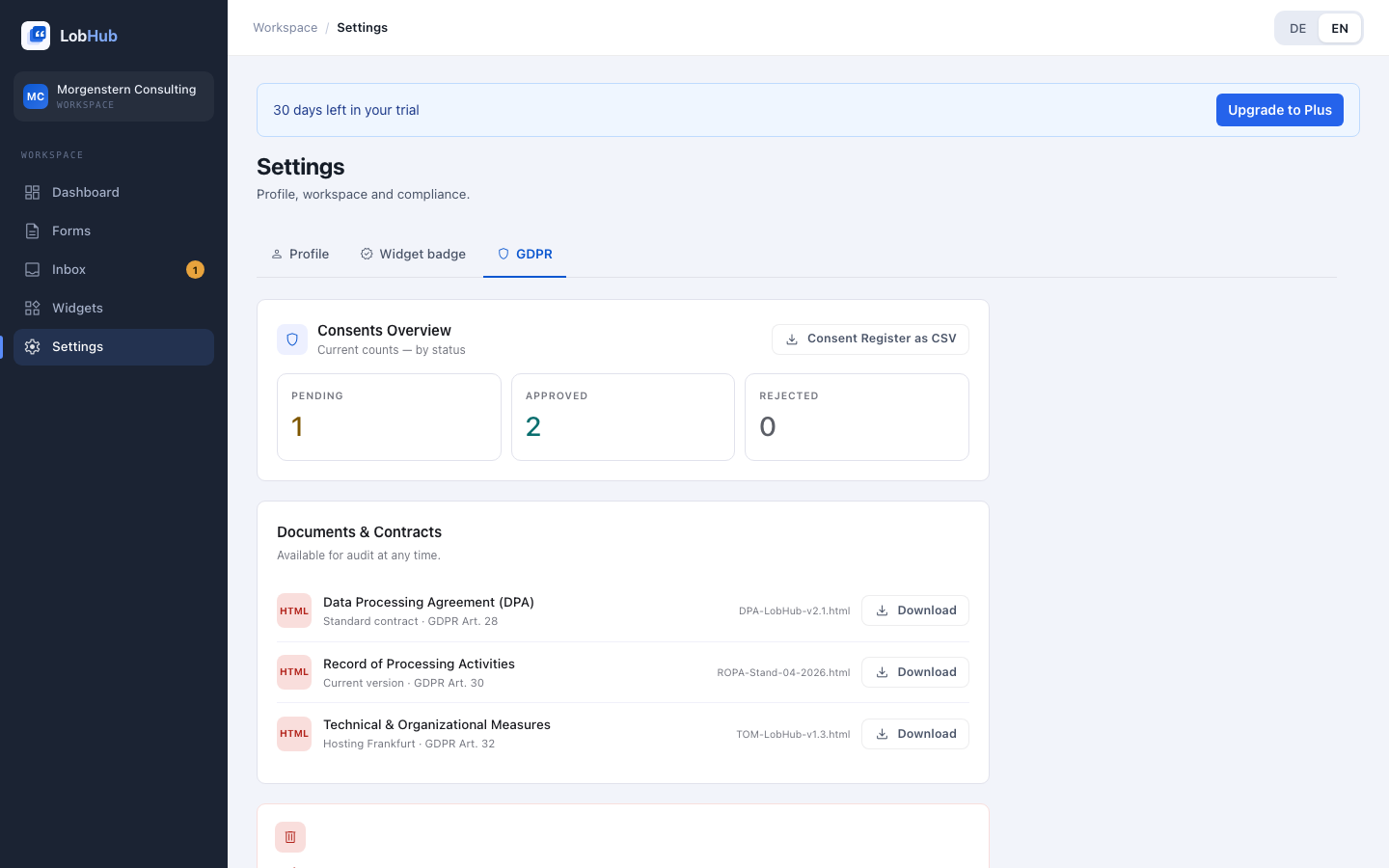
Consent overview
Review testimonial counts per status (open, approved, rejected). The consent register CSV exports your testimonials with their allowed channels as a basis for your documentation; the consent version and timestamp are additionally stored with every testimonial.
Documents & contracts
Downloadable as HTML at any time, for your documentation duties:
- Data processing agreement (DPA) — standard contract per Art. 28 GDPR.
- Record of processing activities (ROPA) — current version per Art. 30 GDPR.
- Technical & organizational measures (TOM) — hosting in Frankfurt, Art. 32 GDPR.
Delete account
Starting the account deletion initiates the permanent removal: to confirm, you enter your password and type the phrase delete my account exactly. A 30-day grace period begins, during which support can reactivate the account, and you are notified about the scheduled deletion by email. After the period, workspace, forms, testimonials, and widgets are permanently deleted from the active systems (Art. 17 GDPR); backup copies then expire automatically within the technical retention period.
Deleting the account is different from cancelling the subscription. Cancellation controls billing; account deletion removes data. See Plans & Billing.
Last updated: July 2026