
Inbox
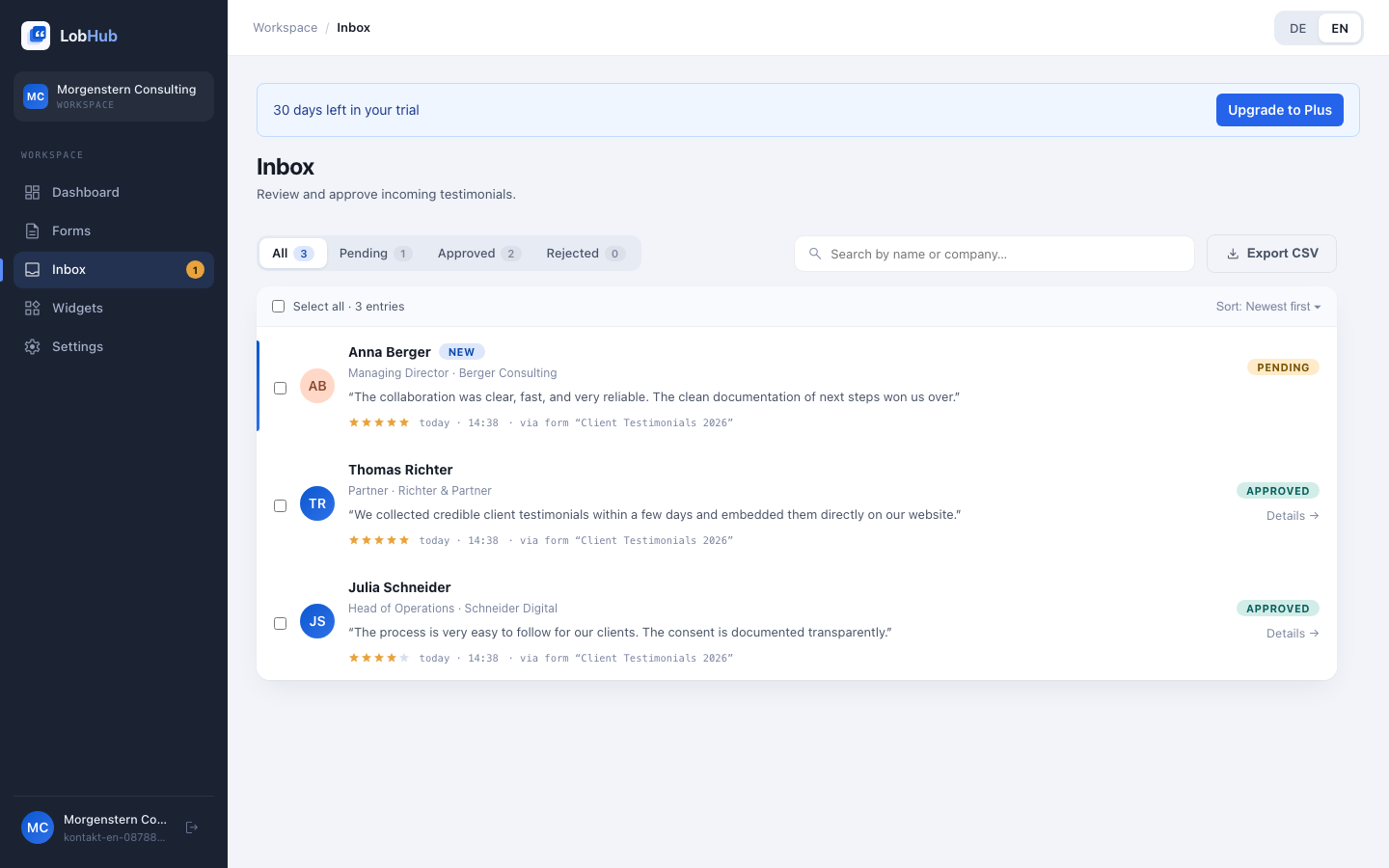
The inbox is where you review incoming testimonials before they are published. Nothing goes live without your approval, and every action is recorded in the audit log.
Status workflow
Every testimonial goes through a simple workflow:
| Status | Meaning |
|---|---|
| Pending | Waiting for review. Approval publishes it on consented channels. |
| Approved | Live on consented channels and available to widgets. |
| Rejected | Not published; retained for documentation. |
Review and approve
Open a testimonial
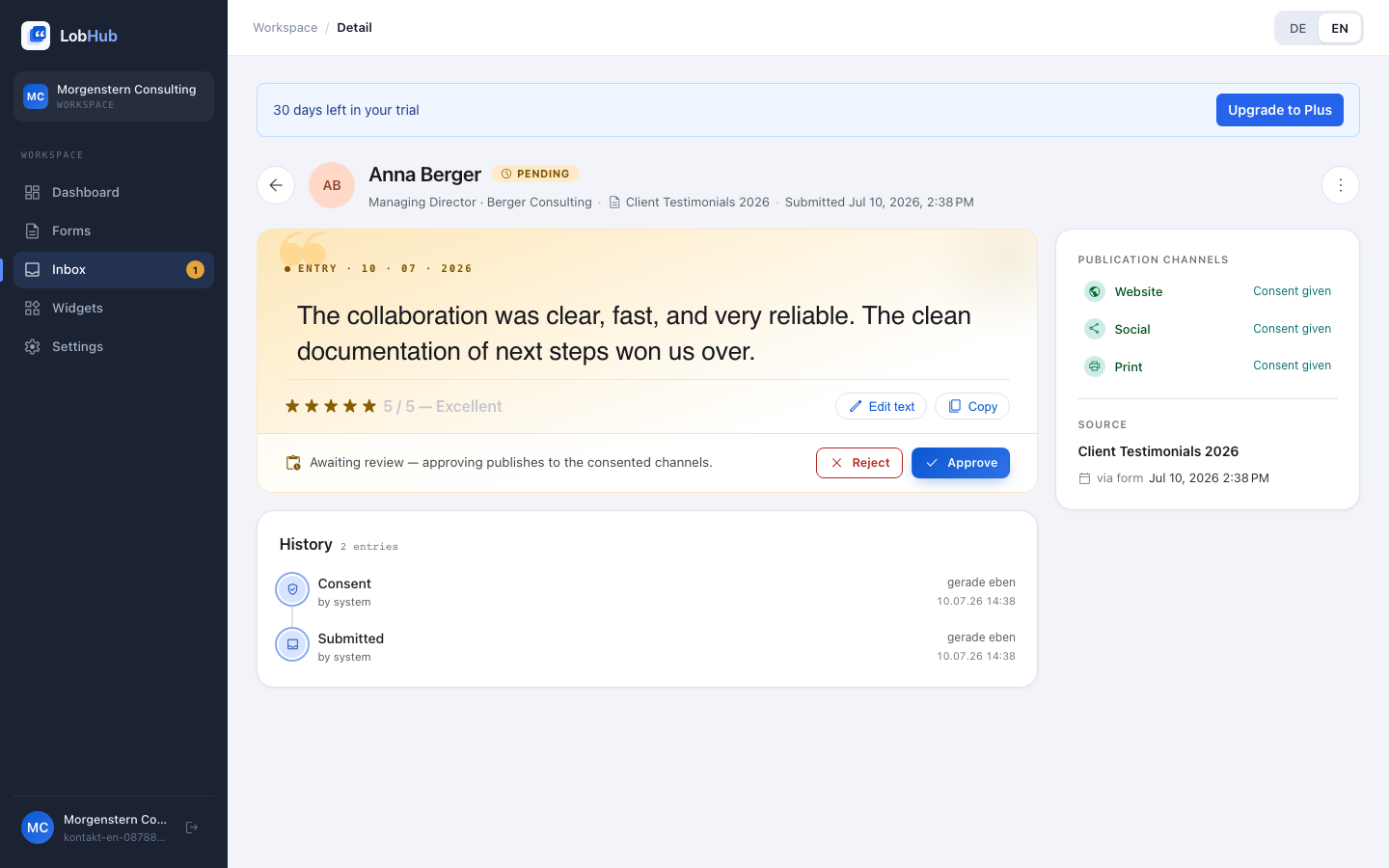
View full text, rating, company, role, submission date, and consent status per channel (Consent given / No consent).
Approve or reject
Approve publishes the testimonial on channels with consent. Reject prevents publication and can include an internal reason.
Edit text if needed
Fix typos or shorten text. Edits require a reason; original, edit, and reason are stored in the audit log — so it stays traceable that no statement was distorted.
Bulk approval
Select multiple entries — or use Select all — then apply Approve (n) or Reject (n). Search by name or company, filters, and sorting help with larger volumes.
Audit log
Each testimonial has a timeline under History: submission, consent, approval, rejection, edit, withdrawal, and deletion with action, actor, old/new value, and timestamp. The log is immutable and serves as proof under Art. 7 GDPR.
Record a revocation
If a customer contacts you to withdraw consent, use Record revocation in the detail view: select channels, enter a short audit-log reason, and confirm. The testimonial disappears immediately from the withdrawn channels.
Customers can also withdraw consent themselves through their personal management link — without any action on your part. See Consent & Withdrawal.
Delete (GDPR)
Delete (GDPR) removes a testimonial from the database, widgets, and exports immediately; embedded widgets on websites usually update within about a minute (CDN cache). The action cannot be undone; a deletion proof remains in the audit log.
Export
Use Export CSV to download testimonials including their allowed channels — for reporting or your documentation. The same export is also available in Settings → GDPR.
Last updated: July 2026