
Forms
A collection form asks your customers for a testimonial. Each form has a public URL, its own branding, and versioned consent text. You find forms in the app sidebar under Forms.
Create a form
Select Create form in the form list. The editor has four tabs: Content, Branding, GDPR, and Share. New forms start as a draft — Publish takes them live.
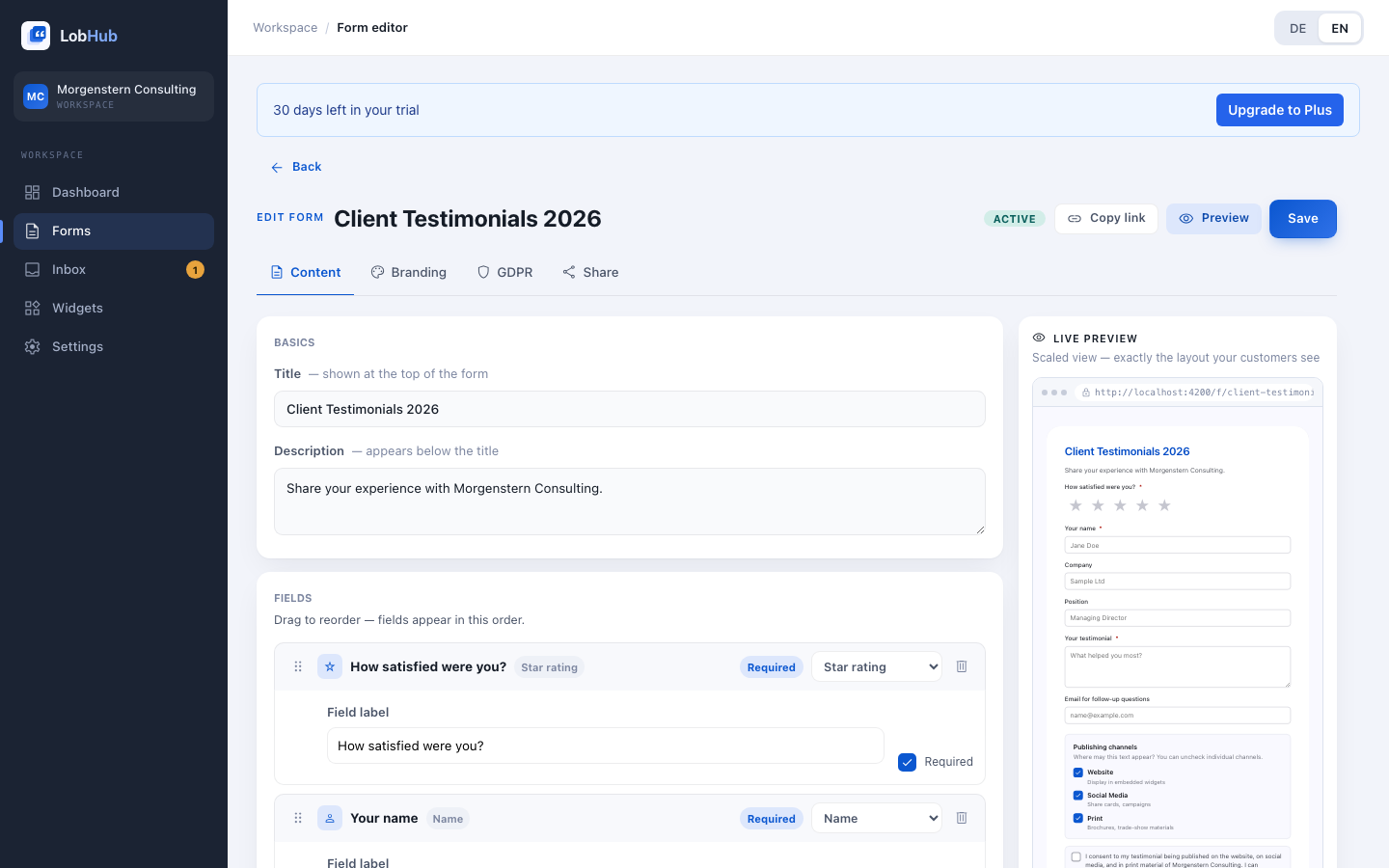
Content tab: title, description, and fields
Add a title and optional description, then choose fields. Fields can be sorted via drag & drop, and any field can be marked as required.
| Field type | Purpose |
|---|---|
| Star rating | 1-5 stars, for example “How satisfied are you?” |
| Name | Author name. Required; a form cannot be submitted without a name field. |
| Company | Customer company |
| Position | Role or job title |
| Text | The testimonial body |
| Photo | Portrait photo: JPG, PNG, or WebP, max. 5 MB |
| Contact address for follow-up questions |
Each field type should appear only once per form. If a type is duplicated, both fields share one public input; the editor warns you.
Branding tab: logo, colors, language
- Logo — JPG, PNG, or WebP, max. 2 MB; appears at the top of the form and in emails.
- Primary color and background — match your brand.
- Language — German or English for labels, helper text, and validation messages.
- Tone (formal/casual) and font family — already visible in the editor, currently marked “Coming soon”.
GDPR tab: consent text and channels
The consent text appears as the checkbox label on the public form. A GDPR-oriented template is provided; you can adapt it to your use case. Every change creates a new version — the version history shows the currently active text, and each submission stores which version was accepted.
Under Publication channels, choose what you ask consent for: website (embedding via widgets), social media (LinkedIn, Instagram, …), and print material (brochures, flyers). Customers decide themselves which channels they allow when submitting — consent is recorded per submission and per channel.
Legal basis: Art. 6(1)(a) GDPR. LobHub stores the consent version, a timestamp, and a hash of the IP address for proof — the IP address itself is not stored in plain text. Withdrawal is possible at any time; see Consent & Withdrawal.
Share a form
The Share tab gives you three options. Prerequisite: the form is published — drafts cannot be shared yet.
Direct link
Every form has a stable public URL like
https://app.lobhub.de/f/pf_7c11dd7ad51d4e6e9912844aaae82cae. The random ID stays the same if you rename the form. Share it by email, messenger, or social media — your customers don’t need an account.iFrame embed
Embed the form directly on your website; adjust the minimum height in the snippet if needed:
HTML<iframe src="https://app.lobhub.de/f/pf_7c11dd7ad51d4e6e9912844aaae82cae" style="width:100%;border:0;min-height:620px" loading="lazy"></iframe>QR code
The Share tab generates a QR code that leads straight to your form — handy for print material and on-site use.
What your customers see
The public form shows your logo, colors, and configured fields. Before submitting, customers choose publication channels and confirm the consent text. The submission lands in your Inbox with status Pending.
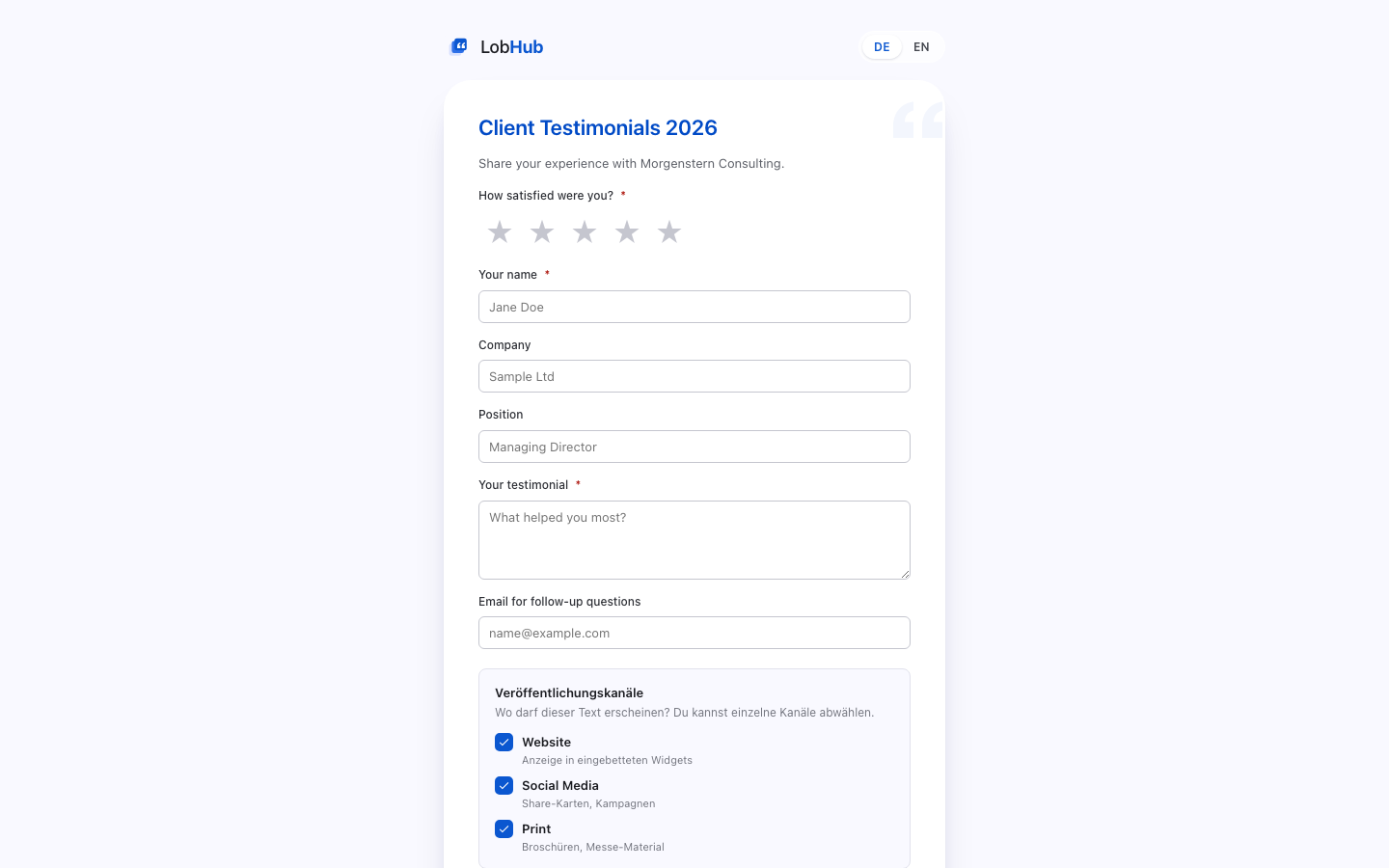
If a customer selects no channel, the testimonial is not published. It remains visible in the inbox, and the customer receives a personal management link on the thank-you page — shown once only.
Manage forms: archive and delete
The form list can be filtered by All · Active · Draft · Archived. The card menu offers two actions:
- Archive — deactivates the form and stops new submissions. Existing testimonials remain. This can be reversed.
- Delete (GDPR) — permanently removes the form and all testimonials collected through it (Art. 17 GDPR). Use archive if you only want to stop new submissions.
Last updated: July 2026